

Contributed by Ankur Goyal on 2024-09-30
Document extraction is a use case that is near and dear to my heart. The last time I dug deeply into it, there were not nearly as many models
capable of solving for it as there are today. In honor of Pixtral and LLaMa3.2, I thought it would be fun to revisit it with the classic SROIE dataset.
The results are fascinating:
- GPT-4o-mini performs the best, even better than GPT-4o
- Pixtral 12B is almost as good as LLaMa 3.2 90B
- The LLaMa models are almost 3x faster than the alternatives
Install dependencies
Setup LLM clients
We’ll use OpenAI’s GPT-4o, LLaMa 3.2 11B and 90B, and Pixtral 12B with a bunch of test cases from SROIE and see how they perform. You can access each of these models behind the vanilla OpenAI client using Braintrust’s proxy.Downloading the data and sanity testing it
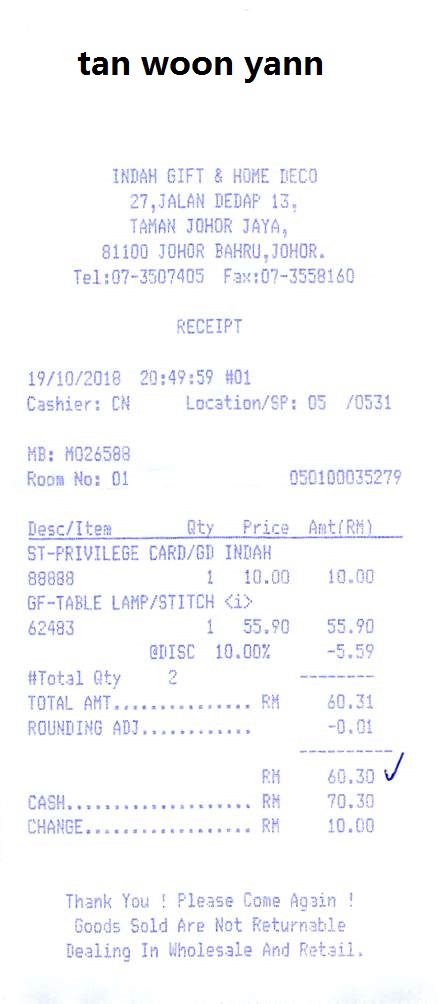
The zzzDavid/ICDAR-2019-SROIE repo has neatly organized the data for us. The files are enumerated in a 3 digit convention and for each image (e.g. 002.jpg), there is a corresponding file (e.g. 002.json) with the key value pairs. There are a few different ways we could test the models:- Ask each model to extract values for specific keys
- Ask each model to generate a value for each of a set of keys
- Ask the model to extract all keys and values from the receipt
Running the evaluation
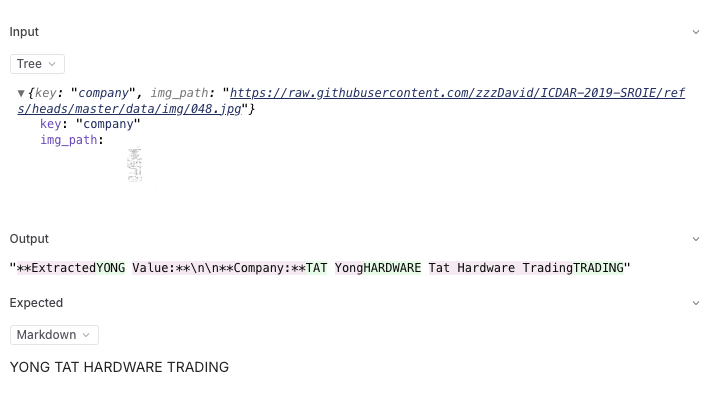
Now that we were able to perform a basic sanity test, let’s run an evaluation! We’ll use theLevenshtein and Factuality scorers to assess performance.
Levenshtein is heuristic and will tell us how closely the actual and expected strings match. Assuming some of the models will occasionally spit out superfluous
explanation text, Factuality, which is LLM based, should be able to still give us an accuracy measurement.
Analyzing the results
Now that we have a bunch of results, let’s take a look at some of the insights. If you click into the project in Braintrust, and then “Group by” model, you’ll see the following: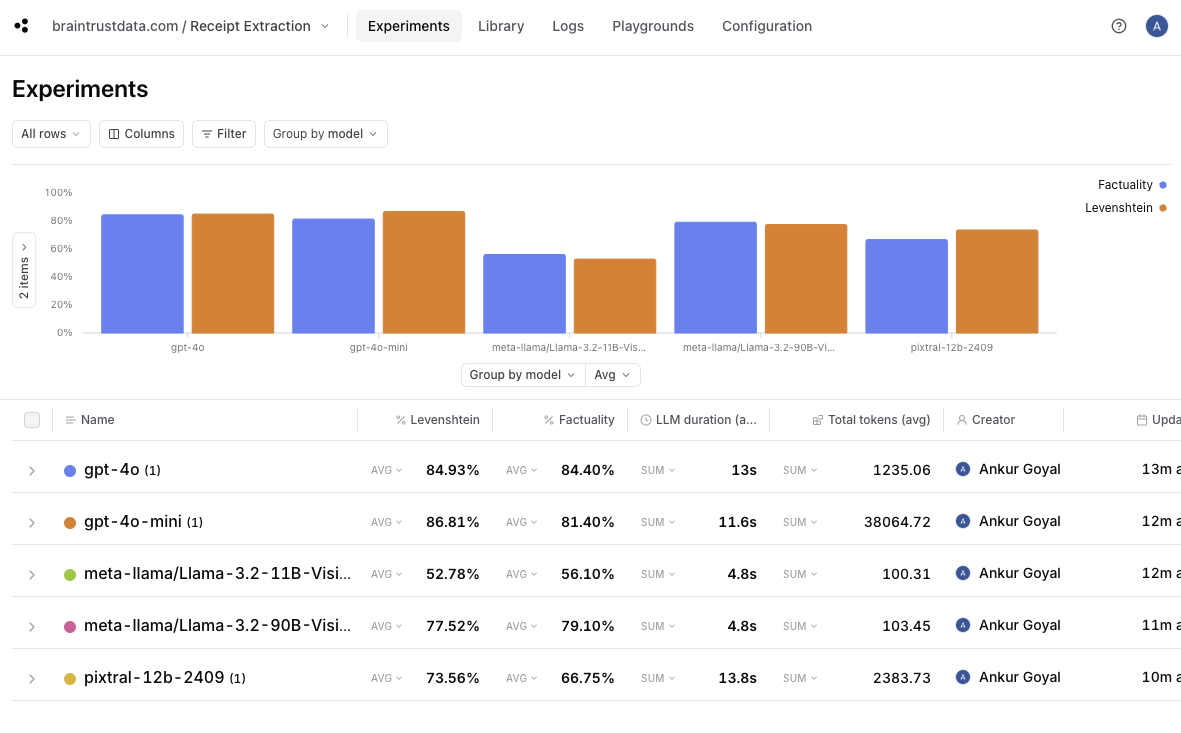
- it looks like
gpt-4o-miniperforms the best — even slightly better thangpt-4o. - Pixtral, a 12B model, performs significantly better than LLaMa 3.2 11B and almost as well as 90B.
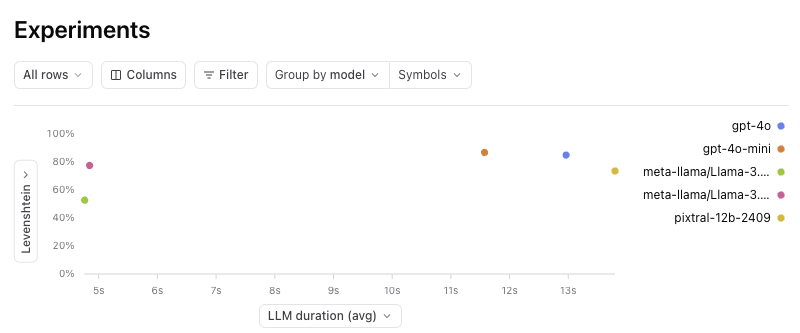
- Both LLaMa models (for these tests, hosted on Together), are dramatically faster — almost 3x — than GPT-4o, GPT-4o-mini, and Pixtral.
GPT-4o-mini vs GPT-4o
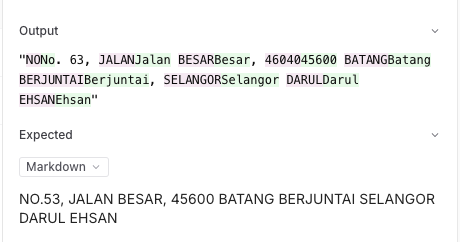
If you click into the gpt-4o experiment and compare it to gpt-4o-mini, you can drill down into the individual improvements and regressions.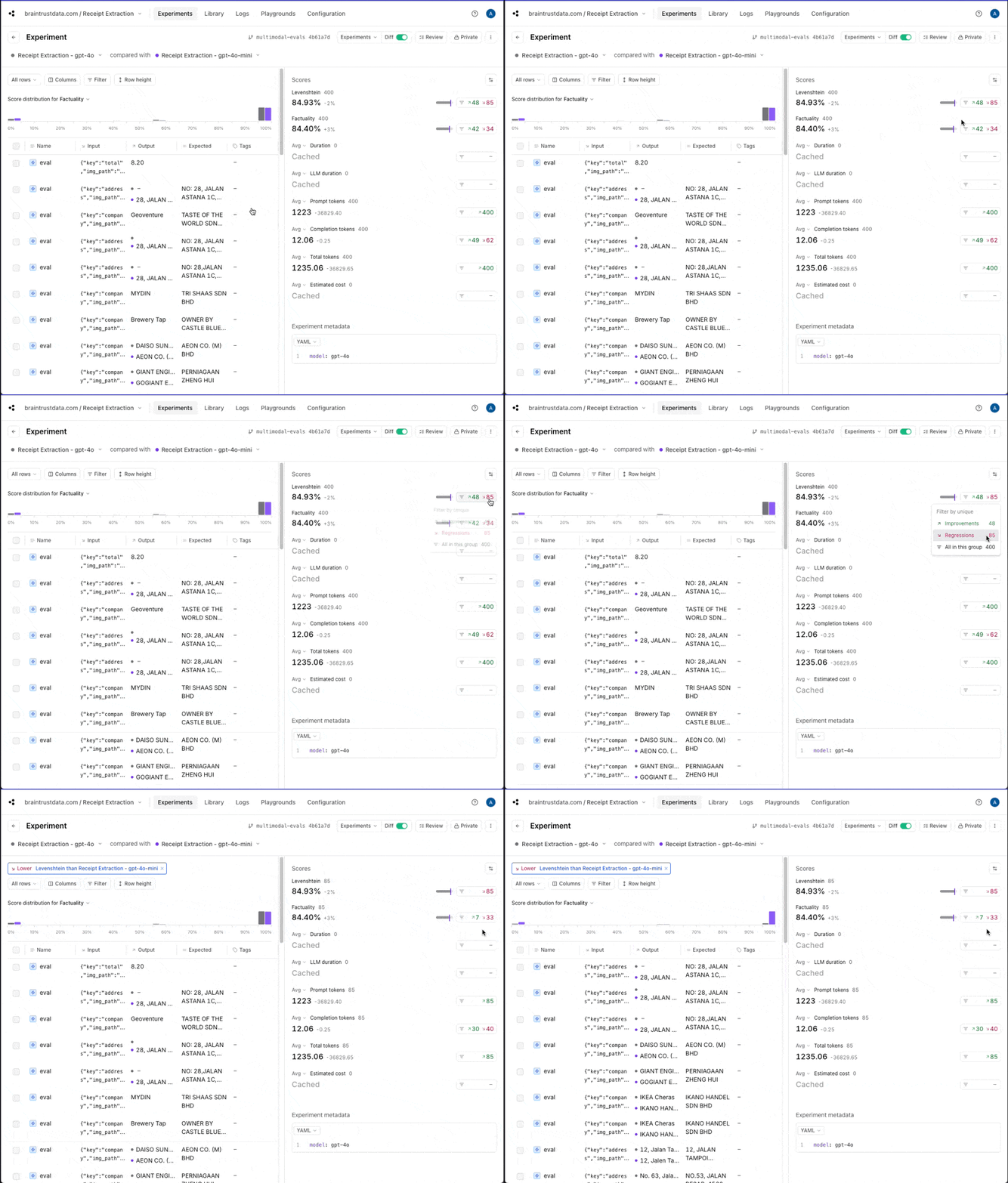
gpt-4o returns information in a different case than gpt-4o-mini. That may or
may not be important for this use case, but if not, we could adjust our scoring functions to lowercase everything before comparing.
Pixtral vs. LLaMa 3.2
To compare Pixtral to LLaMa 3.2, you can do a multi-way comparison where the baseline is Pixtral.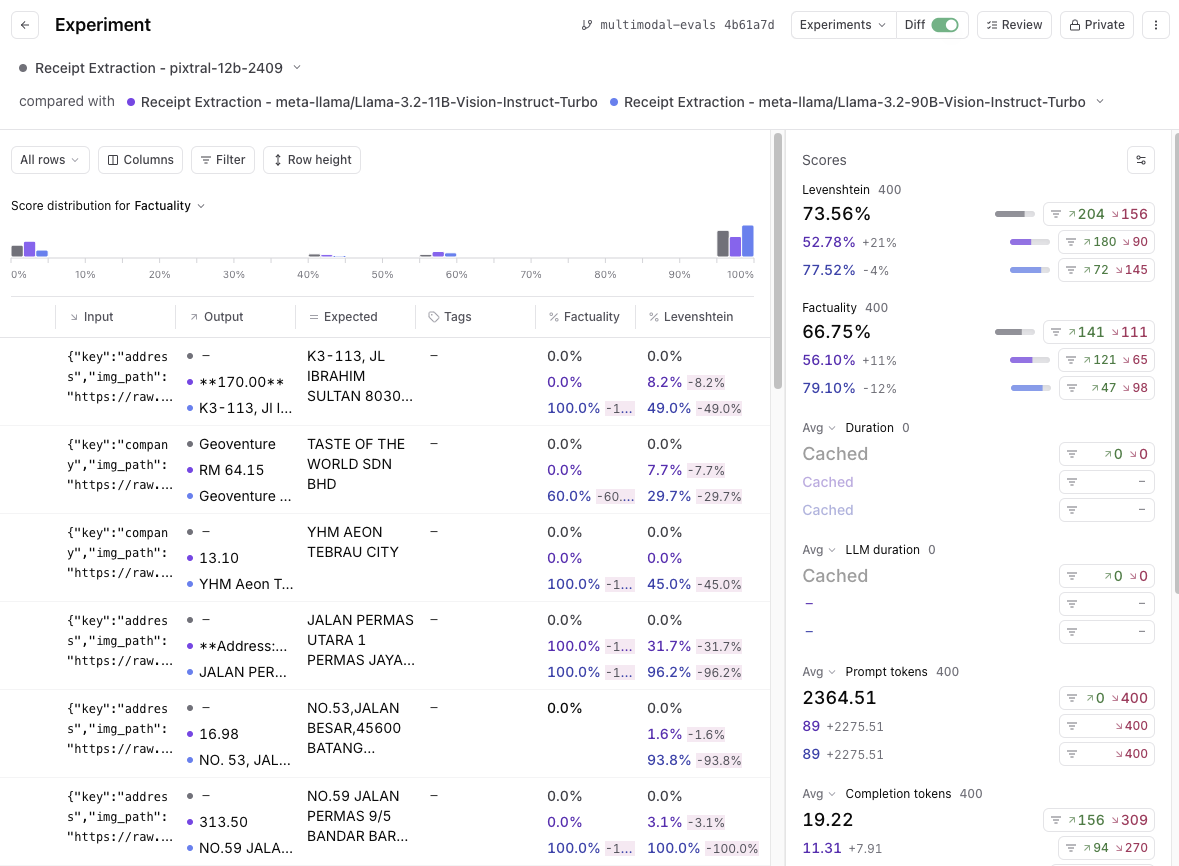
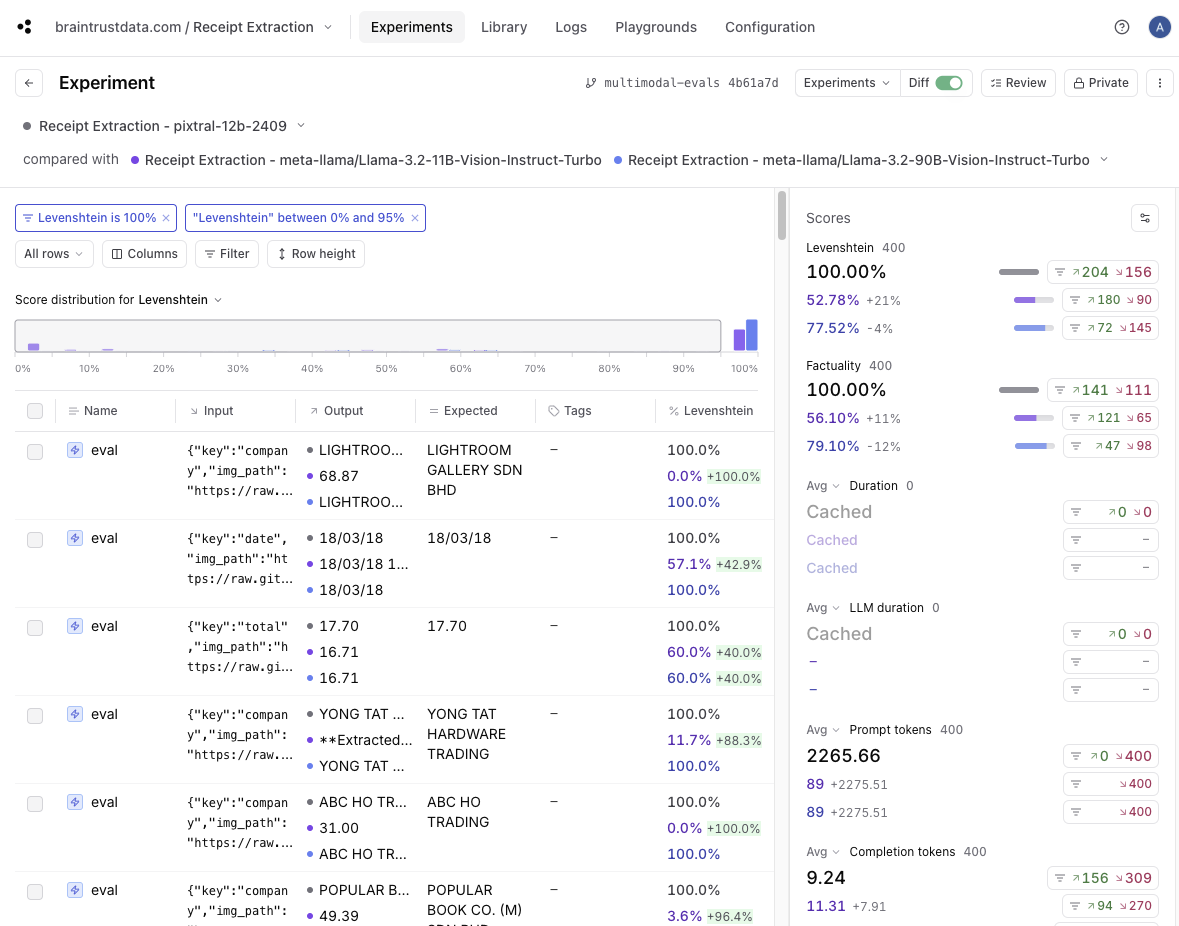
Levenshtein score is 100%, and then drag to filter the score buckets where Levenshtein is less than 100% for LLaMa models, you’ll
see that 109 out of the 400 total tests match. That means that around 25% of the results had a perfect (100%) score for Pixtral and a lower score for LLaMa models.
Speed vs. quality trade-off
Back on the experiments page, it can be useful to view a scatterplot of score vs. duration to understand the trade-off between accuracy and speed.Where to go from here
Now that we have some baseline evals in place, you can start to think about how to either iterate on these models to improve performance, or expand the testing to get a more comprehensive benchmark:- Try tweaking the prompt, perhaps with some few-shot examples, and see if that affects absolute and relative performance
- Add a few more models into the mix and see how they perform
- Dig into a few regressions and tweak the scoring methods to better reflect the actual use case